 blog
blog
AAC Visual Supports for Elementary Students: 7 Classroom Wins
Table of Contents
- Why AAC Visual Supports Work for Elementary Students
- AAC Communication Boards for Students: Choosing the Right Layout
- AAC Visual Schedules for the Classroom Day
- AAC Modeling for Teachers: Show, Don't Test
- AAC Activities for Elementary Students Across the Curriculum
- Matching Supports to Communication Needs: A Selection Guide
- Measuring Whether Visual Supports Are Working
- Keeping Supports Consistent, Accessible, and Respectful
- Frequently Asked Questions
Last Updated: October 18, 2026
Why AAC Visual Supports Work for Elementary Students
AAC visual supports are picture, symbol, and word-based tools that let students communicate without relying on speech. In an elementary classroom, they turn "I can't tell you" into "I can point, show, or build a sentence." This CueSprout guide covers the seven supports that make the biggest difference.
A student who cannot speak fluently still has plenty to say, and most classrooms have no reliable way to hear it.
The American Speech-Language-Hearing Association's guidance on AAC frames AAC as any tool or method that supports communication, from a single picture to a speech-generating device. That range matters. A student does not need a high-tech device to start communicating today.
What Counts as a Visual Support
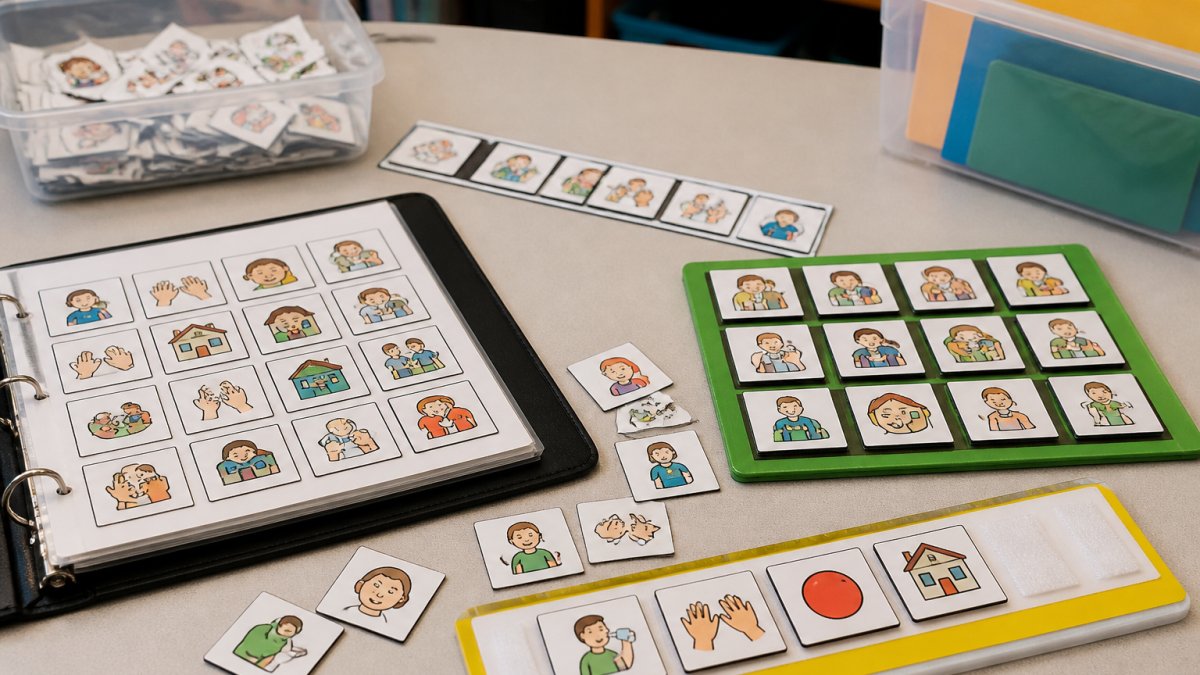
A visual support is any tool that shows communication options in a form a student can see and touch. That includes:
- Communication boards and communication books
- Picture symbols, photos, and word cards
- Visual schedules and transition cues
Low-tech AAC (boards, books, cards) and high-tech AAC (devices, tablets) belong to the same family. Most elementary classrooms need both, and the low-tech option keeps a student talking when the tablet is charging.
AAC Communication Boards for Students: Choosing the Right Layout
Choosing a communication board comes down to one question: what does this student need to say most often, and how many words can they scan at once?
A common mistake is building a board around nouns like apple, ball, dog, and bus. The student can label the world but cannot ask for anything. Strong boards lead with verbs and pronouns, because those words build sentences.
Core Vocabulary Versus Activity-Specific Boards
Core vocabulary is the small set of words used constantly across every setting: I, you, want, more, stop, go, help, all done.
Activity-specific boards cover one lesson, such as cooking, story retell, or a math station, adding the fringe words that lesson needs.
Most students need both: a core board that stays on the desk all day and an activity board that slides in for the lesson.
| Board Type | Best For | Words to Include | Where It Lives |
|---|---|---|---|
| Core board | Every student, all day | I, want, more, stop, go, help, all done, like | Desk, table edge, lanyard |
| Activity board | One lesson or routine | Lesson nouns plus 3-4 core verbs | Tray, folder, station bin |
| Choice board | Choice-making and breaks | 2-6 options at a time | Wall, break corner, table |
| Communication book | Students who scan many words | Full core page plus topic pages | Backpack, cubby |
AAC Visual Schedules for the Classroom Day
A visual schedule shows the sequence of the school day in pictures or words.
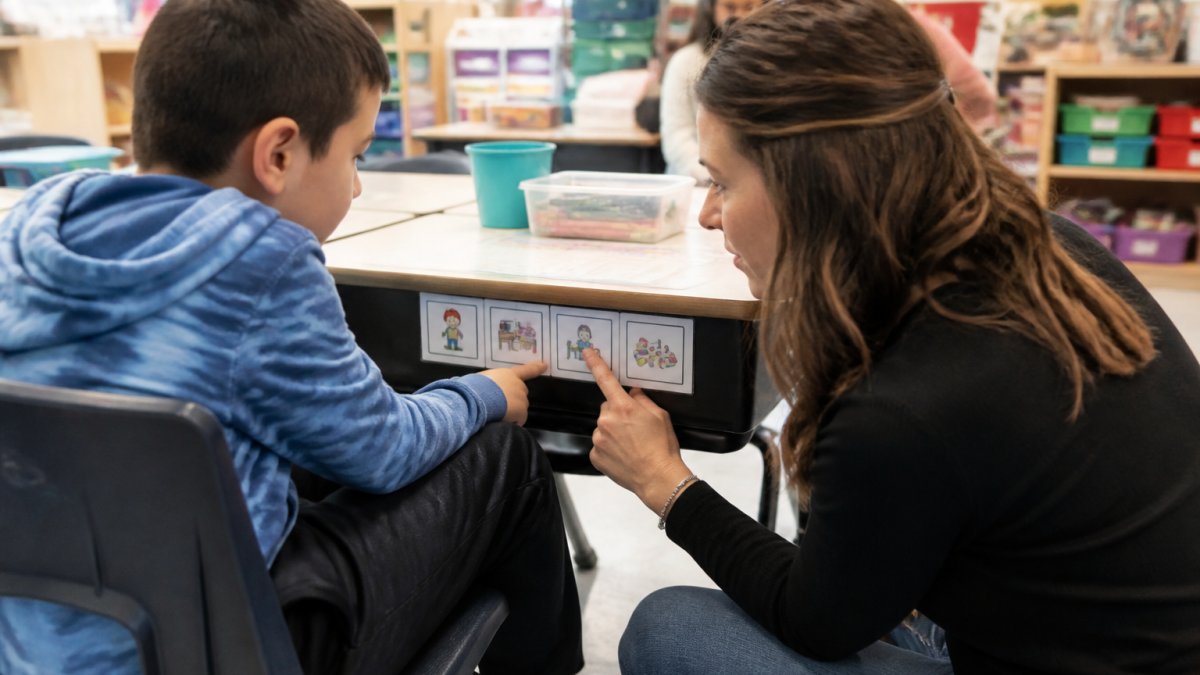
Build the schedule at the student's level: a kindergartener may need four pictures for the morning, while a fourth grader may handle a written list with times.
Three habits make schedules work:
- Reference it out loud. "First math, then recess. Let's check."
- Let the student move the marker. Hands-on beats passive viewing.
- Pair it with the board. Point to the schedule, then to the matching word on the communication board.
Transitions are where most classroom frustration shows up. A student who cannot predict the shift from reading to lunch has every reason to resist it.
AAC Modeling for Teachers: Show, Don't Test
Modeling means pointing to and using AAC yourself while you talk, without asking the student to respond. It is the single highest-impact habit a teacher or paraprofessional can build, and the one most often skipped.
The instinct is to quiz. "Show me 'more.' Where's 'help'?" That turns communication into a test. Modeling flips it. You say "I need help with this box" and tap help on the board as you say it.
A Simple Modeling Routine for Paraprofessionals
Paraprofessionals do not need to wait for the teacher to set everything up. A shared modeling routine works from day one.
- Pick three target words for the week, such as help, more, and all done.
- Agree on the board location with the classroom teacher so everyone points to the same spot.
- Model each word at least five times a day during normal talk, no quizzing.
- Note one win per day on a simple planning form.
- Review the three words every Friday and swap in new ones.
CueSprout's adult modeling guides and planning forms give teachers and paraprofessionals the same routine to follow, so a student gets consistent modeling from every adult in the room.
AAC Activities for Elementary Students Across the Curriculum
AAC activities work best when they ride along with the lesson you already planned. You do not need a separate communication block, just one board, three target words, and a plan to model them. The examples below are organized by grade band and by the classroom moments where communication actually happens.
Kindergarten and First Grade: Routines and Choice
At this age, communication is mostly about wants, needs, and what happens next. Keep the board small and the words high-frequency.
- Morning meeting: Model go, stop, more, and all done during songs and calendar time. Let a student lead the weather check using a two- or four-choice board.
- Center time: Place a four-choice board at each center (blocks, art, books, sensory). Model want, more, and help as you move between centers. The board stays at the center, not in a cubby.
- Snack and lunch: Model want, more, stop, and help. These are the highest-motivation moments of the day, which makes them the best teaching moments.
Second and Third Grade: Academic Language and Peer Interaction
By this grade band, students are expected to answer questions, retell stories, and work with partners. The board needs to support those academic moves, not just requests.
- Math: Model more, all done, and help during counting and manipulatives. A student can answer "how many?" by pointing to a number card, and can say "I need help" with the board when a problem is hard. Keep a number strip taped to the desk alongside the core board.
- Literacy: Model turn, again, and like during read-alouds. Pause and let a student choose the next book from two picture options. During partner reading, teach peers to wait for the student to point to a word or symbol before they respond.
- Group work: Model my turn, your turn, and help. A student who can say "my turn" with a board can participate in a game without an adult interpreting for them.
Fourth and Fifth Grade: Independence and Self-Advocacy
Older elementary students notice when supports look babyish. The goal is to keep communication access while making the tool age-respectful and student-owned.
- Written expression: Pair a word bank or topic board with writing assignments. A student can point to sequence words (first, next, then, last) while drafting a paragraph, reducing the load on spelling and handwriting.
- Self-advocacy: Model help, break, and I don't know. A fifth grader who can request a break with a card or board is practicing a skill they will need in middle school. Keep the break card in a pencil pouch, not on the wall.
- Group projects: Model idea, agree, and disagree. A student who can say "I disagree" with a board can participate in a group discussion without an adult speaking for them. Teach the group to pause and wait for the board user.
A Note on Lesson Planning
You do not need a new board for every lesson. Pick three target words for the week and find the moments in your existing plan where they fit naturally: a counting lesson already has more and all done built in, and a read-aloud already has turn and again. The board does not change the lesson; it gives the student a way into it.
Matching Supports to Communication Needs: A Selection Guide
Most visual support guides tell you to download a board. This section helps you choose which board, for which student, and why. Match the support to what the student can physically and visually access first, then to what they need to say, because a board a student cannot reach or see is a board they cannot use.
Step 1: Start With Access
Before you look at vocabulary, answer three questions about the student's body and senses.
- How does the student point or select? If they reach and point accurately, a standard core board with picture symbols works. If reach or motor control is limited, use a larger board with fewer, bigger symbols, or partner-assisted scanning where the adult points and the student signals yes or no. If the student uses a head pointer or eye gaze, arrange symbols in a grid they can scan systematically.
- How does the student see? For students with visual impairment, tangible objects or high-contrast symbols work better than standard picture symbols. Tactile markers or textured symbols can be added so the student can find a target by touch.
- How does the student hear and understand language? A student who is deaf or hard of hearing may need the board paired with sign or with a communication partner who faces them. A student with language differences may need bilingual symbols or photos of familiar objects rather than abstract icons.
The rule that holds across every access profile: start smaller than you think you should. A board with six words that gets used beats a board with sixty that gets ignored.
Step 2: Match Vocabulary to Communication Stage
Once access is settled, choose vocabulary based on what the student is trying to do right now.
- Just beginning: a two-choice board (more / all done, or yes / no). Grow it as the student shows reliable use. A two-choice board is the right support for a student learning that communication works.
- Requesting and protesting: a core board with I, want, more, stop, go, help, all done. These words cover most early communication needs across settings.
- Building sentences: add pronouns and verbs (I, you, want, go, like, see) and a few fringe words for favorite activities. A student who can combine "I want" with a choice is building grammar, not just labeling.
Step 3: Check the Fit Against the Classroom
A support that works in the speech room but not the classroom is not working yet. Before you finalize a board, check three things.
- Can the student reach it in every setting? A desk board works in the classroom but not at recess. Plan for a lanyard card, a cubby board, or a second copy for the playground and lunchroom.
- Can every adult model it? If the paraprofessional, the art teacher, and the lunch monitor cannot find the words they need, the board is too complex for the team. A simpler board that all adults can use consistently beats a complex board only one adult understands.
- Does it grow with the student? A board that is maxed out in September has nowhere to go in May. Leave room to add words as the student's communication expands.
A Quick Decision Path
If you remember nothing else, use this order: access first (how does the student point and see?), then stage (what is the student trying to do?), then setting (can they reach it and can every adult model it?). A support that passes all three checks is one the student can actually use, not just one that looks complete on the wall.
Measuring Whether Visual Supports Are Working
Measure what the student actually does, not what the board looks like. A support is working when communication happens more often, with less frustration, and across more settings.
Track three simple things:
- How often the student initiates communication without a prompt
- How many different communication partners the student uses the support with
- How often frustration behaviors drop during known trigger times
Generalization is the real test. If a student uses the board with the special education teacher but not the classroom teacher, that is a staff consistency problem, not a student problem.
CueSprout's ready-to-use printables and planning forms give teams a shared way to log modeling and track progress without building new materials each week.
Keeping Supports Consistent, Accessible, and Respectful
The last win holds the others together: treat the student as a communicator, not a case. Dignity and autonomy decide whether a student keeps using the support past elementary school.
A few habits protect that:
- Keep the board with the student, not locked in a cabinet.
- Never take the board away as a consequence.
- Let the student say no, stop, and all done and honor it.
Communication access means the student can reach their words in every room, with every adult, at every point in the day. That is the standard worth building toward.
Frequently Asked Questions
What are visual supports in AAC?
Visual supports in AAC are pictures, symbols, word cards, photos, and tangible objects that give a student a way to understand language and express themselves without relying on speech. They include communication boards, communication books, visual schedules, and choice strips. For elementary students, the most useful supports are low-tech and always within reach, because a board on the desk gets used far more often than one locked in a cupboard. Pair every visual with spoken language from a communication partner so the student connects the symbol to real interaction.
What AAC visual supports can elementary students use in the classroom?
The core set is a communication board or book with core vocabulary, a visual schedule for the day, a break card, and a choice board for activities like centers or snack. Add activity-specific boards for morning circle, math, and literacy so students can request, comment, and answer during lessons. Students with visual impairment may need tangible objects or high-contrast, larger symbols. Many teachers print and laminate a desk-sized board for each student plus a larger board for the whole class, which keeps AAC visual supports accessible during every transition.
How can teachers model AAC without requiring students to repeat?
AAC modeling for teachers means pointing to symbols while you speak, without asking the student to copy you. Say a short sentence, touch the matching words on the board, and move on. Aim for many models across the day rather than a dedicated drill session. For example, during snack, touch 'want' and 'more' as you talk. This approach, often called aided language stimulation, shows students how the system works in real conversation. Never withhold a student's item until they repeat the model, because that turns communication into a test.
How often should AAC visual supports be updated?
Review boards and schedules at least once a term, and sooner if a student's vocabulary or routines change. Add new words as they appear in lessons, remove symbols the student never uses, and check that photos still match the people and places in the room. Watch for signs a support is out of date: the student ignores the board, reaches past it, or gets frustrated during a specific activity. A quick monthly check during planning time keeps AAC visual supports relevant and prevents them from becoming classroom wallpaper.
Most classrooms already have the will to support AAC. What they lack is time and a shared routine. CueSprout gives elementary teachers and paraprofessionals ready-to-use AAC printables, lesson plans, and adult modeling guides that cut the prep work and put everyone on the same page. Start with a free sample and see how quickly communication becomes part of every lesson.